
Fullscreen Fixer - How to Get Rid of Popups

Many websites use popups to get the user's attention, display advertising, and provide other services. While this is a very useful function, there are times when a popup can be annoying or even annoying to the point of blocking or canceling the visit to that website.

This is why it is very important to get rid of that annoying popup, and this is exactly what Fullscreen Fixer does. If you've already seen a popup on a website and you're afraid it'll happen again, this extension will keep you from getting any annoying popup.

So what are the rules of this extension?

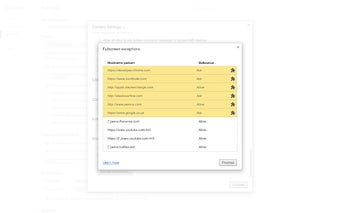
To use it, just install the extension on your browser and click on it. It will show you a permission window asking you to allow the extension access to fullscreen, and if you decide to do that, it will show you a green or red badge next to the domain name.

 0/1

App specs

Program available in other languages


User reviews about Fullscreen Fixer

Have you tried Fullscreen Fixer? Be the first to leave your opinion!

Add review

Top extensions for Google Chrome

Top downloads Add-ons & Tools for Google Chrome

Top downloads Add-ons & Tools for Google Chrome

Top downloads Add-ons & Tools for Google Chrome

You may also like

Explore Apps

Latest articles

Laws concerning the use of this software vary from country to country. We do not encourage or condone the use of this program if it is in violation of these laws.
Softonic

Is Fullscreen Fixer safe?

100/100

Score result: Clean

This file passed a comprehensive security scan using VirusTotal technology. It is safe to download.

  • Virus free
  • Spyware free
  • Malware free
  • Verified by Security Partners

    VirusTotal logo

Scan Info

Last scan
Tuesday, December 12, 2023
Scan provider
VirusTotal

Softonic security commitment

Fullscreen Fixer has been thoroughly scanned by our advanced security systems and verified by industry-leading partners. This file comes from the official developer and has passed all our security checks, showing no signs of viruses, malware, or spyware. For more information, visit our Security and Trust Center